
Alerts
Alerts are used to communicate a state that affects a system, feature or page. They are used to provide feedback about an action that has taken place.
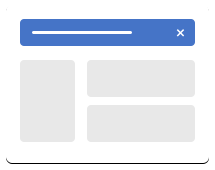
Primary Alert
The Primary Alert description from Figma goes here
1<div class="alert alert-primary relative" role="alert">
2  <span class="alert-primary-title">Lorem Ipsum Dolor</span>
3  <span class="alert-primary-text">Notification text</span>
4  <span class="alert-primary-actions float-right">Learn more</span>
5</div>
Secondary Alert
The Secondary Alert description from Figma goes here
1<div class="alert alert-secondary relative" role="alert">
2  <span class="alert-secondary-title">Lorem Ipsum Dolor</span>
3  <span class="alert-secondary-text">Notification text</span>
4  <span class="alert-secondary-actions float-right">Learn more</span>
5</div>
Danger Alert
The Danger Alert description from Figma goes here
1<div class="alert alert-danger relative" role="alert">
2  <span class="alert-danger-title">Lorem Ipsum Dolor</span>
3  <span class="alert-danger-text">Notification text</span>
4  <span class="alert-danger-actions float-right">Learn more</span>
5</div>
Dark Alert
The Dark Alert description from Figma goes here
1<div class="alert alert-dark relative" role="alert">
2  <span class="alert-dark-title">Lorem Ipsum Dolor</span>
3  <span class="alert-dark-text">Notification text</span>
4  <span class="alert-dark-actions float-right">Learn more</span>
5</div>
Horizontal Alert
1<div class="alert alert-horizontal alert-dismissible w-100" role="alert">
2	<h4 class="alert-heading">Lorem Ipsum Dolor</h4>
3	<p>Notification text</p>
4	<p>
5		<a href="#">Learn more</a>
6	</p>
7	<button type="button" class="btn-close" data-bs-dismiss="alert" aria-label="Close"></button>
8</div>
Info Alert
The Info Alert description from Figma goes here
1<div class="alert alert-info relative" role="alert">
2  <span class="alert-info-title">Lorem Ipsum Dolor</span>
3  <span class="alert-info-text">Notification text</span>
4  <span class="alert-info-actions float-right">Learn more</span>
5</div>
Light Alert
The Light Alert description from Figma goes here
1<div class="alert alert-light relative" role="alert">
2  <span class="alert-light-title">Lorem Ipsum Dolor</span>
3  <span class="alert-light-text">Notification text</span>
4  <span class="alert-light-actions float-right">Learn more</span>
5</div>
Success Alert
The Success Alert description from Figma goes here
1<div class="alert alert-success relative" role="alert">
2  <span class="alert-success-title">Lorem Ipsum Dolor</span>
3  <span class="alert-success-text">Notification text</span>
4  <span class="alert-success-actions float-right">Learn more</span>
5</div>
Type 9 Alert
The Type9 Alert description from Figma goes here
1<div class="alert alert-type9 relative" role="alert">
2  <span class="alert-type9-title">Lorem Ipsum Dolor</span>
3  <span class="alert-type9-text">Notification text</span>
4  <span class="alert-type9-actions float-right">Learn more</span>
5</div>
Vertical Alert
1<div class="alert alert-vertical alert-dismissible" role="alert">
2	<h4 class="alert-heading">Lorem Ipsum Dolor</h4>
3	<p>Notification text</p>
4	<p>
5		<a href="#">Learn more</a>
6	</p>
7	<button type="button" class="btn-close" data-bs-dismiss="alert" aria-label="Close"></button>
8</div>
Warning Alert
The Warning Alert description from Figma goes here
1<div class="alert alert-warning relative" role="alert">
2  <span class="alert-warning-title">Lorem Ipsum Dolor</span>
3  <span class="alert-warning-text">Notification text</span>
4  <span class="alert-warning-actions float-right">Learn more</span>
5</div>
Accessibility
Make it clear what this alert does for the user.
-
What to do with alerts
-
What not to do with alerts
Classes
Complete list of all CSS classes for the component.
| Name | Class |
|---|---|
| Primary Alert | alert alert-primary |
| Secondary Alert | alert alert-secondary |
| Danger Alert | alert alert-danger |
| Dark Alert | alert alert-dark |
| Horizontal Alert | alert alert-horizontal |
| Info Alert | alert alert-info |
| Light Alert | alert alert-light |
| Success Alert | alert alert-success |
| Type 9 Alert | alert alert-type9 |
| Vertical Alert | alert alert-vertical |
| Warning Alert | alert alert-warning |